NFC and QR-Code Actions
Touchless automation via NFC tags and QR codes
Bridges NFC tags and QR codes with Q-SYS, enabling users to trigger automation through smartphone taps or scans without dedicated apps or control panels.
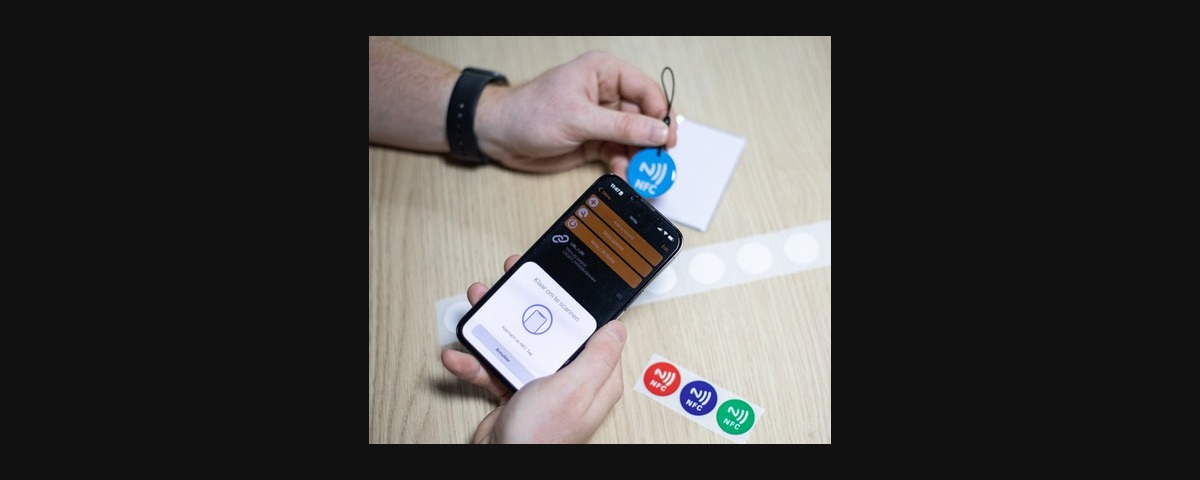
Transform any NFC tag or QR code into a Q-SYS automation trigger. This plugin establishes a direct bridge between low-cost physical NFC tags or QR codes and Q-SYS, enabling instant triggering of snapshots, presets, and custom functions with a simple tap of a phone. No special apps, software, or control panels needed for the end user, just the built-in NFC capabilities of any modern smartphone.
Program any standard NFC tag once, and it becomes a permanent, maintenance-free control point for your AV systems. The interaction is straightforward enough that the user won’t even realise they’re interacting with Q-SYS.
Three Ways to Trigger Actions
- Tapping an NFC Tag - tap a phone against a programmed tag
- Scanning a QR Code - point a camera at a printed code
- Built-in Control Landing Page - direct browser access to the control interface
Core Features
- Zero end-user dependencies. Works with any NFC-enabled smartphone’s native capabilities.
- Three trigger types: Momentary (3-second pulse), Trigger (one-shot activation), Toggle (on/off state control)
- Works on LAN A or LAN B
- Up to 12 independent triggers from a single plugin instance
- Optional PIN protection for secure access control
- Stealth mode for discrete NFC interaction
- Clean interface showing all available triggers
- Headless API endpoints for integration with other systems
- Real-time status monitoring and connection tracking
- Automatic network discovery showing all available server addresses
- Toggle state persistence between activations
- Direct Q-SYS control pin outputs for each trigger
Ideal Applications
- Conference rooms requiring touchless AV control. Swipe to start a meeting (turn on TVs, cameras, lights, etc.)
- Educational spaces with preset configurations. Presentation mode (turn on projector, set input).
- Cleaners’ lights. Cleaners can tap a tag without needing access to the full system.
- Anywhere it’s not practical to mount a touch panel but you still want to trigger a snapshot (outdoors, wet areas, etc.)
- Retail locations with staff-only system access
- Any space benefiting from simplified, physical control points
NFC Tag Compatibility
The plugin works with virtually any NFC tag or sticker available online. If it works with your phone and NFC Tools can program it, it will work with this plugin. NFC stickers can even be hidden inside light switch cover plates (non-metal) for a clean look.
Technical Details
- Connection pooling for handling multiple simultaneous clients
- Robust socket cleanup to prevent resource leaks
- Timer management for momentary controls
- Works with any standard NFC tag (no proprietary hardware required)
Browser Security Note
This plugin uses HTTP for local network communication. On first access, your browser may display a security warning that you can safely click through. Chrome or Firefox are recommended as they will remember this exception on local networks for future visits.
Requirements
Q-SYS Designer 9.10 or higher, any standard NFC tag, NFC-enabled smartphone or device.
Licensing
Single license key per core. Once licensed, you can use the plugin as many times as you like in your design.
Version History
- v1: Initial release